Attendance that's real.
Payroll that's ready.
Your staff clock in with a quick face scan on their own phone — and only when they're actually at your office. You get live attendance, leave approvals, tasks and month-end payslips in one simple dashboard.
Built for teams across India
Attendance shouldn't need a register, a machine and an Excel sheet
Most businesses lose hours every month chasing attendance and fixing salary sheets. Here's what changes.
Friends marking attendance for friends
Registers and shared login apps make it easy to mark someone present who isn't there.
Leave requests lost on WhatsApp
Approvals scattered across chats, and nobody remembers who is off on Friday.
Two days of salary calculations
Counting present days, half days and leave by hand before every payday.
From the first clock-in to the last payslip
One app for your team, one dashboard for you. No extra tools to stitch together.
Face check on every clock-in
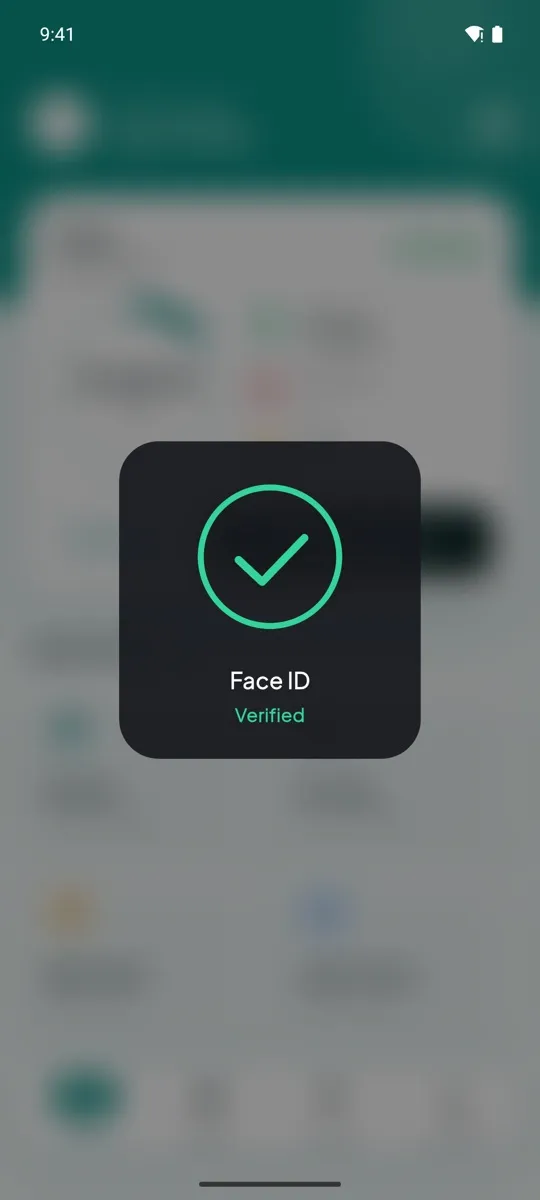
Staff take a quick selfie when they clock in or out. The app matches it to their registered face, so only the right person can mark attendance — and you keep the photo as proof.
Only at your office
Set your office location and radius. Clock-in works only inside it — no marking attendance from home.
Live dashboard
See who's in, who's late and who's on leave today — from your phone or laptop, anywhere.
One-click payslips
Paid days, half days, leave, PF, ESI and TDS worked out for you. Staff see their payslip in the app.
Leave in a tap
Casual, sick or paid leave requests with dates and reason. Approve, reject, and the employee is notified.
Tasks with daily updates
Assign work with due dates. Employees post progress updates in a simple chat on each task, so you're never chasing for status.
Shift rules & late marks
Set shift timings and a grace period. Late arrivals, breaks and half days are tracked automatically for every employee.
Multiple branches
Run several companies or branches from one login, each with its own staff and office.
Admin roles
Give managers access only to the sections and branches they handle.
Reports to Excel
Export monthly attendance in one click for your accountant or records.
Three seconds. No queues at a machine.
Your team uses the phone they already carry. Every clock-in is checked twice — who they are and where they are.
- 1Employee opens the app and taps Clock in.
- 2The app confirms they're inside your office zone.
- 3A quick face scan confirms it's really them — done.
Live in three simple steps
We set everything up with you on a call — no technical knowledge needed.
Add your team
Add employees, your office location and shift timings in the admin panel.
Staff install the app
Each employee signs in once and registers their face. That's the only setup on their side.
Relax at month-end
Attendance builds up daily. When salary day comes, generate payslips in a click.
An app your team will actually like using
Clean, fast and simple enough for every employee — from the front desk to the shop floor.
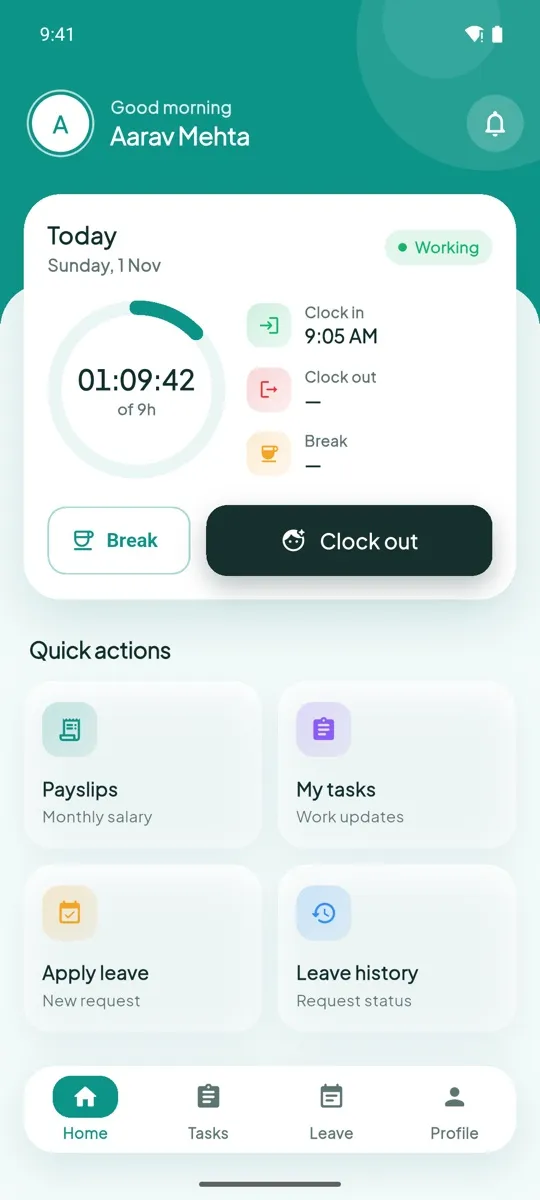
Today at a glance
Live timer, clock-in time and breaks
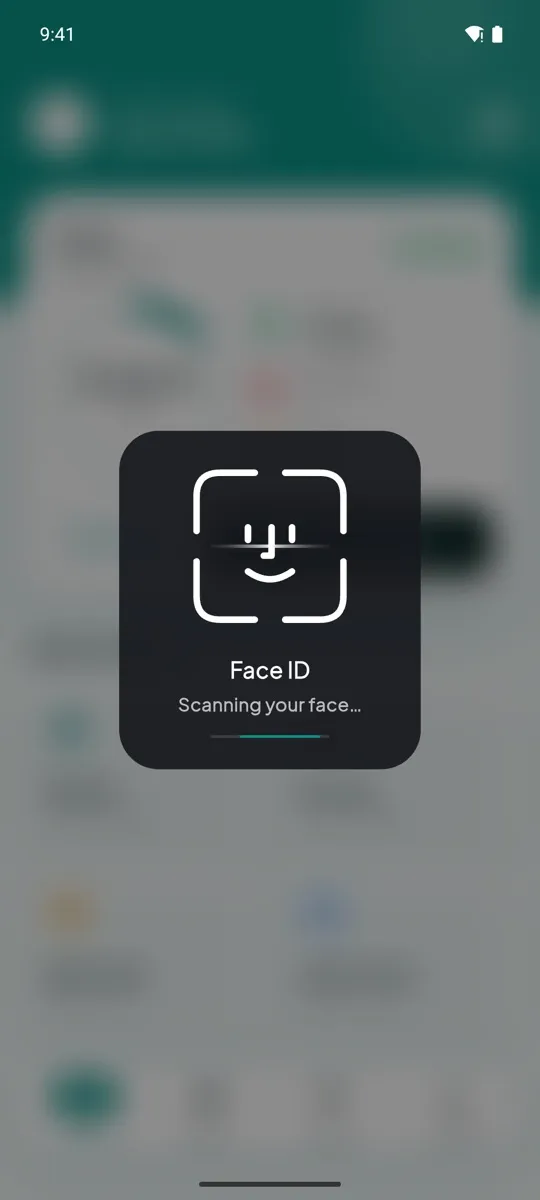
Face scan
Verified clock-in and clock-out
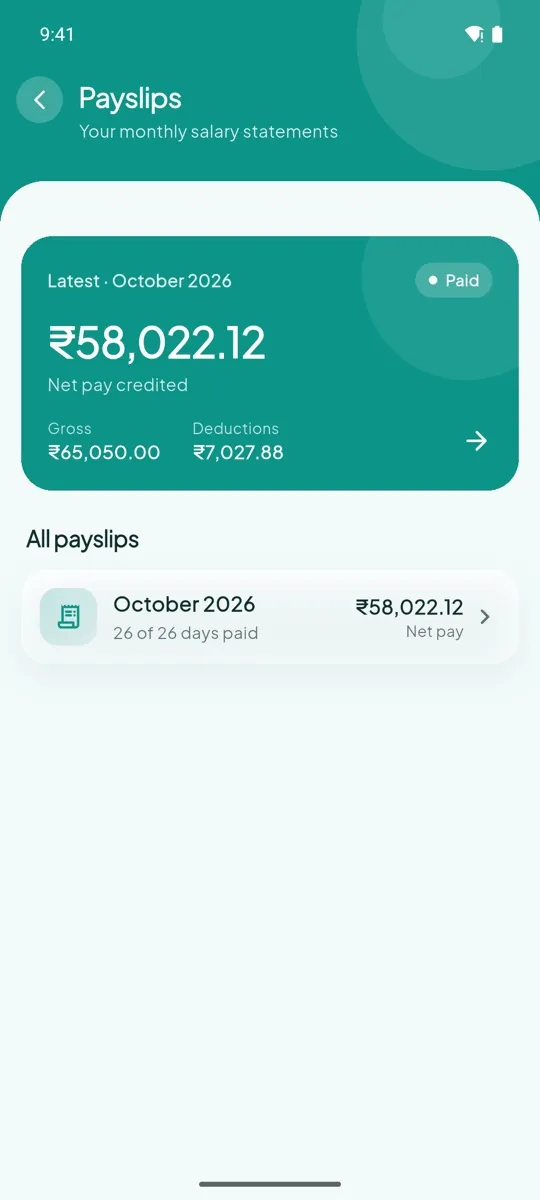
Payslips
Every month, right in the app
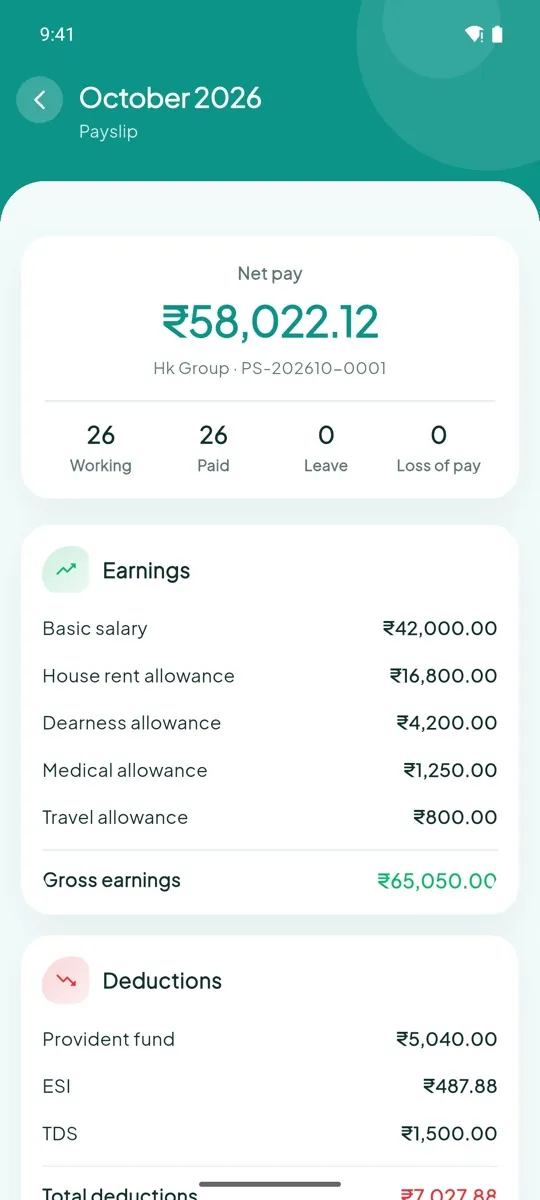
Clear breakdown
Earnings, deductions and net pay
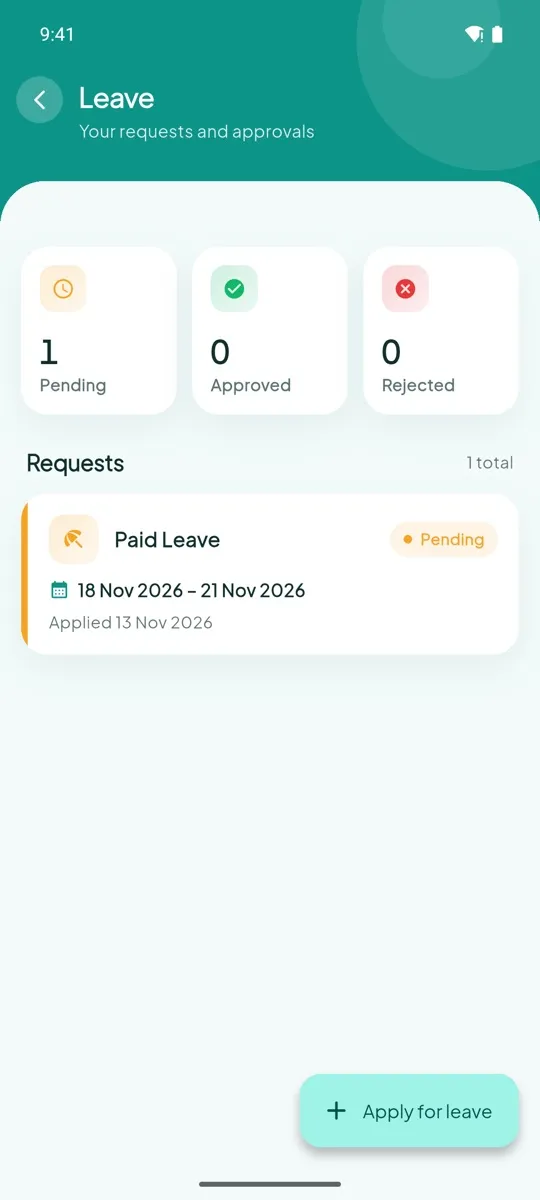
Leave
Apply and track approval
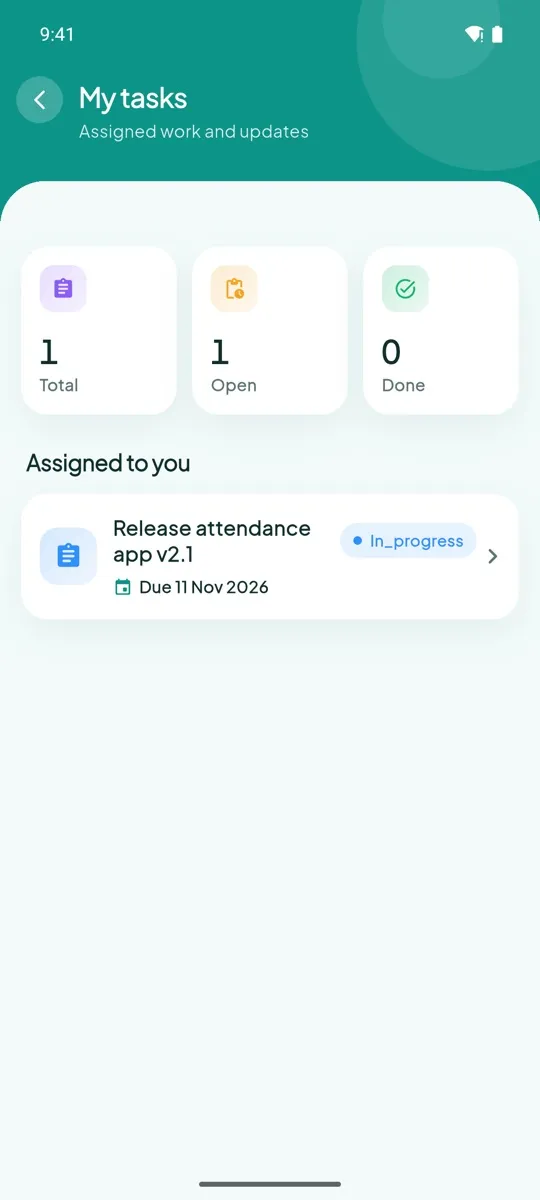
Tasks
Assigned work and updates
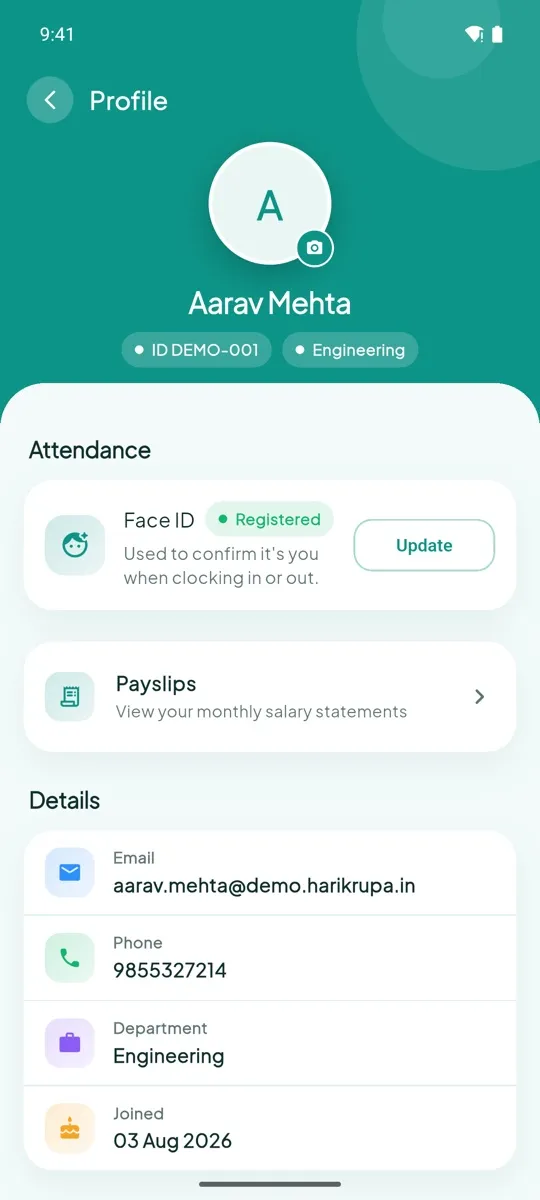
Profile
Details, Face ID and settings
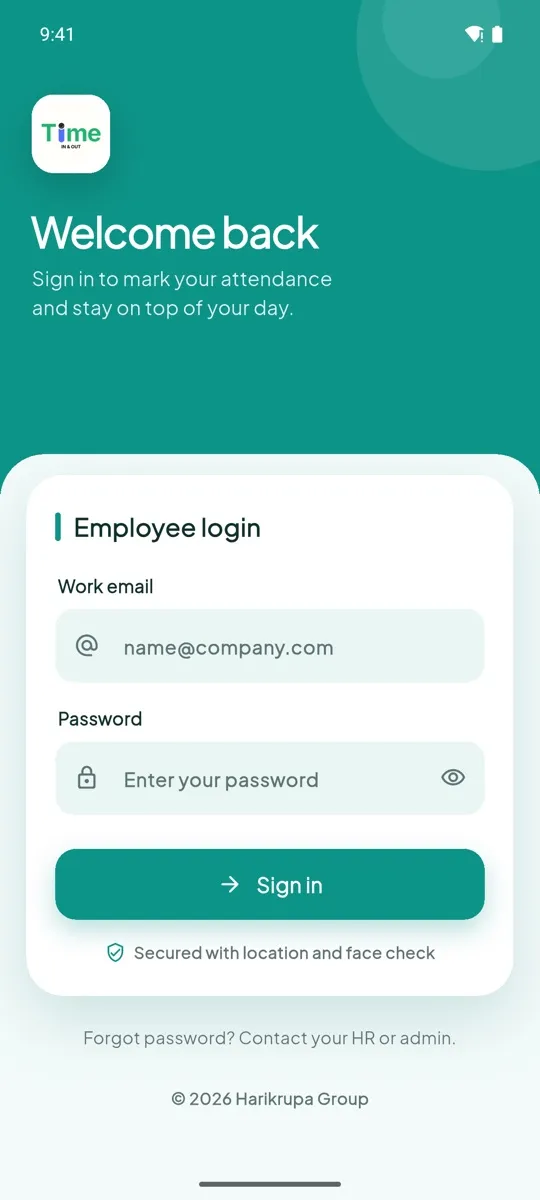
Secure sign in
One login per employee
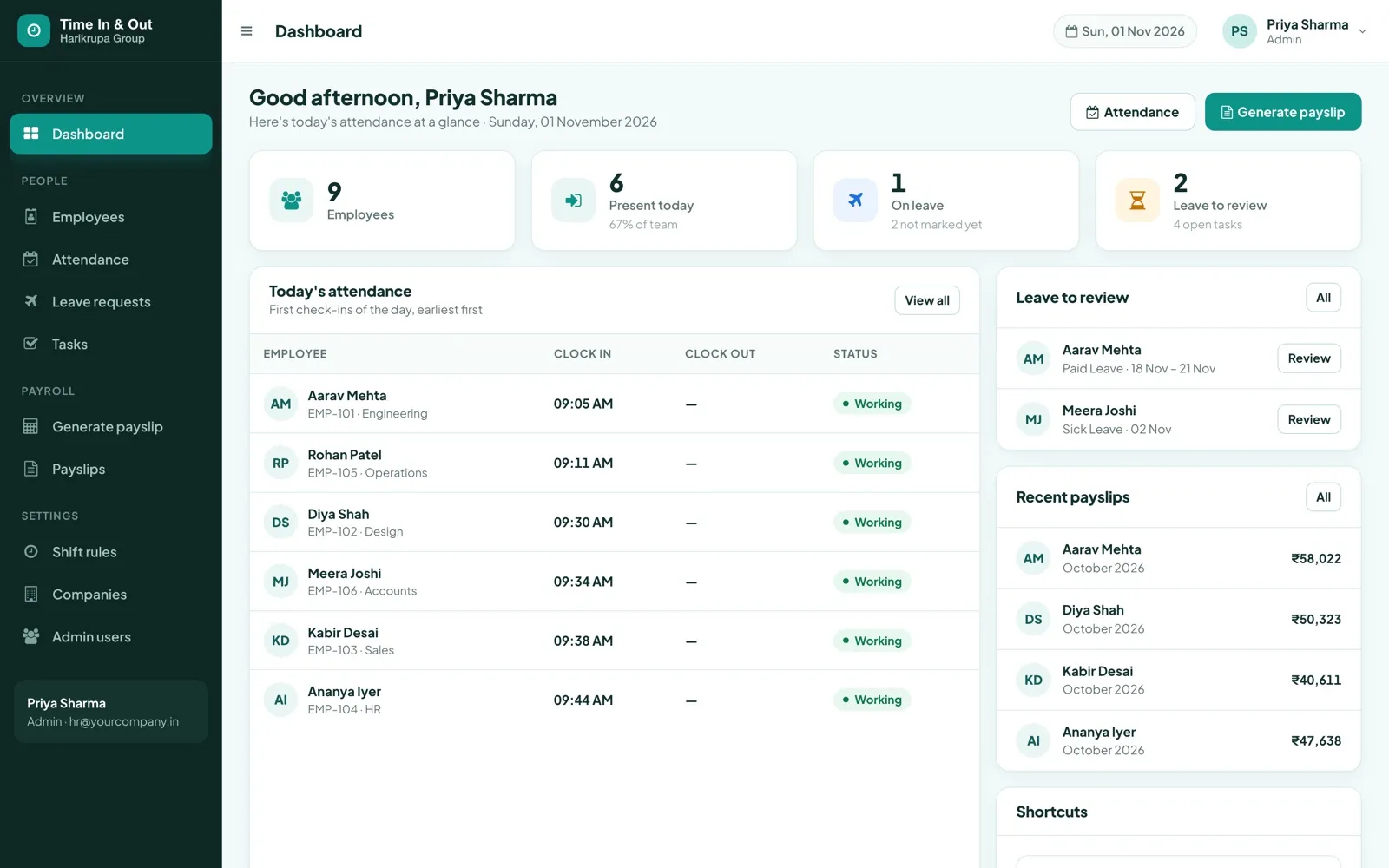
Your whole team on one screen
The admin dashboard shows today's attendance, pending leave and recent payslips the moment you log in.
How we compare
Against the usual ways businesses track attendance today.
| Time In & Outby Harikrupa Group | Fingerprint machine | Register / Excel | Basic attendance apps | |
|---|---|---|---|---|
| No hardware to buy or repair | ✓ | ✕ | ✓ | ✓ |
| Proof it's the right person | ✓ | ✓ | ✕ | ~ |
| Clock-in only at your office | ✓ | ✓ | ✕ | ~ |
| No queue at the door | ✓ | ✕ | ✕ | ✓ |
| Live view from anywhere | ✓ | ✕ | ✕ | ✓ |
| Leave requests & approvals | ✓ | ✕ | ✕ | ~ |
| Tasks with daily updates | ✓ | ✕ | ✕ | ✕ |
| Payslips from real attendance | ✓ | ✕ | ✕ | ~ |
| Employees see payslips in the app | ✓ | ✕ | ✕ | ~ |
| Simple flat monthly pricing | ✓ | ~ | ✓ | ~ |
✓ included · ~ varies or extra cost · ✕ not available
Simple plans. No per-employee surprises.
Pick a plan by team size. Every plan includes setup help from our team.
Starter
Small offices, shops and clinics
- Face attendance
- Time in / time out
- Employee management
- Leave management
Business
Agencies, startups and growing teams
- Everything in Starter
- Payroll & payslips
- Task management
- Reports & company branding
Growth
Medium businesses and operations teams
- Everything in Business
- Role-based admin access
- Multi-department management
- Dedicated support
Enterprise
Multi-branch and group companies
- Everything in Growth
- Multi-company & branch setup
- Group employee management
- Custom business setup
Not sure which plan fits? Book a demo and we'll help you choose.
Frequently asked
Do I need to buy a biometric machine?
No. Your employees use the app on their own smartphones. There's no hardware to buy, install or repair.
Can someone mark attendance for a colleague?
Every clock-in and clock-out needs a face scan that matches the employee's registered face, and it only works inside your office's location zone. The clock-in photo is saved for your records.
Can employees clock in from home?
Not unless you allow it. You set your office location and a radius, and clock-in is accepted only inside that area.
How are payslips calculated?
From each employee's actual attendance for the month — present days, half days and approved paid leave — using the salary structure you set once (basic, HRA, DA, allowances, PF, ESI, TDS). Each payslip is saved and employees can view it in the app.
Can I manage more than one branch or company?
Yes. You can run multiple companies or branches from one admin login, and give managers access only to what they handle.
Which phones does the app work on?
It works on Android smartphones with a front camera and location. Ask us on the demo about iPhone for your team.
How long does setup take?
We set it up with you on a call: your company, office location, shift timings and employees. After that, staff just install the app and sign in.
See it working for your business
Pick a time for a free 20-minute Google Meet call. We'll walk you through the app and admin panel and answer every question — no obligation.
- A live walkthrough of clock-in, leave, tasks and payslips
- The right plan for your team size
- Setup steps for your office and shifts
You're booked!
Check your email for the meeting details. See you soon.